Preferences
Display name, email, dashboard theme, and login. To open it, click the profile icon in the top-right corner, choose Account Settings, then Preferences.
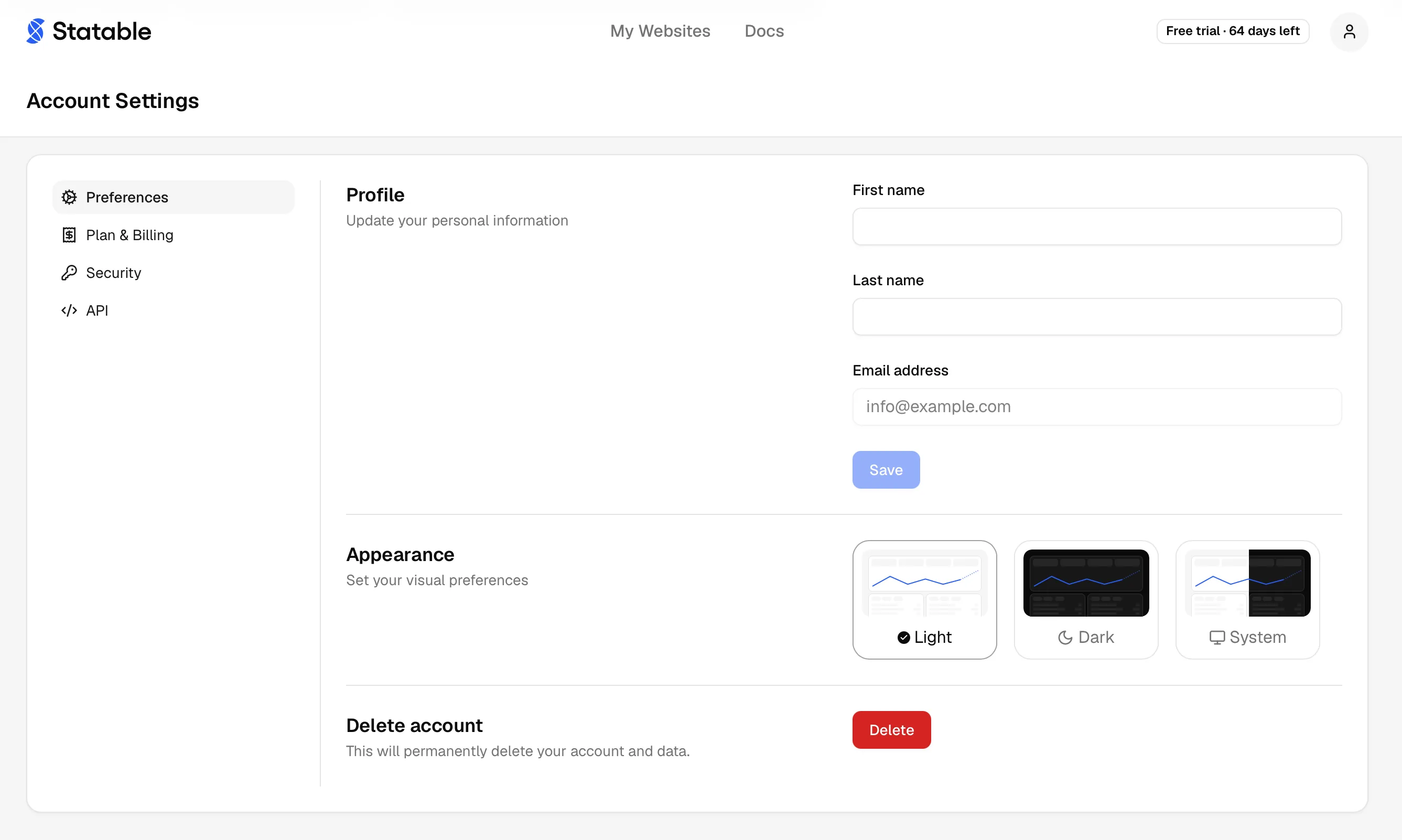
Edit your name
Your first and last name appear in the dashboard header.
- Click the profile icon in the top-right corner, choose Account Settings, then Preferences.
- Edit First name and Last name.
- Click Save changes.
Saves immediately. If you signed up with Google OAuth, your name was pre-filled but isn't kept in sync — edit here whenever.
Email address
Read-only on this page. It's the address you sign in with (email OTP), where billing receipts go, and the recovery channel for future security flows. Statable doesn't currently support self-service email changes from the dashboard.
To move your account to a different email, contact support@statable.com from your current email and we'll re-key the account manually. If you signed up with Google OAuth, your email is the Google account's primary address. Switching it means switching the linked Google account.
Theme
Three options for the dashboard:
- Light. Bright background, dark text.
- Dark. Dark background, light text. Matches Statable's marketing site.
- System. Follows your OS appearance setting and switches when it does.
Saved per browser (local preference, not server-side), so you can keep Light on your laptop and Dark on your desktop. Affects dashboard chrome, charts, maps, and Realtime. Embedded widgets follow their own per-widget theme.
Login methods
Three ways in. They share one account when they share an email:
- Email OTP. Enter your email, we send a 6-digit code, you paste it back. Codes are valid for 10 minutes and single-use.
- Google OAuth. Click Continue with Google and pick the account.
- GitHub OAuth. Click Continue with GitHub and authorize. Your GitHub email must be verified.
The account is one record keyed by email. Sign-in methods that resolve to the same verified email land on the same account, so you can start with email OTP and later use Google or GitHub (or the reverse) as long as the address matches.
The first time you sign in with a provider whose email already has an account, Statable confirms the address before attaching it. The screen names the provider, shows the address masked, and sends a code there. Enter the code and the provider is attached and you are signed in. After that it signs you in directly.
About OTP delivery
Delivery normally takes seconds. If the code doesn't arrive after about a minute:
- Check spam or promotions.
- Confirm you typed the email correctly.
- Try again. Repeated requests don't lock you out, the latest code supersedes the previous one.
If it still doesn't arrive, fall back to Google or GitHub OAuth (if your email matches one of those accounts) or email support@statable.com.
Sessions and tokens
Preferences doesn't expose session management. The list of devices currently signed in lives under account security, where you can end any of them. Behind the scenes: access tokens are short-lived (5 minutes) and auto-refresh while you're active. Refresh tokens stay valid until you sign out or delete the account. Each successful login is recorded in your login log.
What lives elsewhere
- Delete account lives at Delete your account.
- Plan and billing lives at Plans & pricing.
- Per-site settings (timezone, tracking code) live under each site's Site settings .
Ready to take control of your web analytics? Try Statable free for 30 days. No credit card required, full feature access, built for GDPR. Start your free trial or view a live demo.