
Free Accessibility Browser Extension
WCAG Checker: Accessibility Check For The Page You Are Looking At
Open the panel and the page is checked against WCAG 2.0, 2.1 and 2.2 level A and AA, with the rule and the failing elements behind every finding.



Free • No account • Chrome 116+, Edge 116+, Firefox 140+
Every Finding Points To A Rule
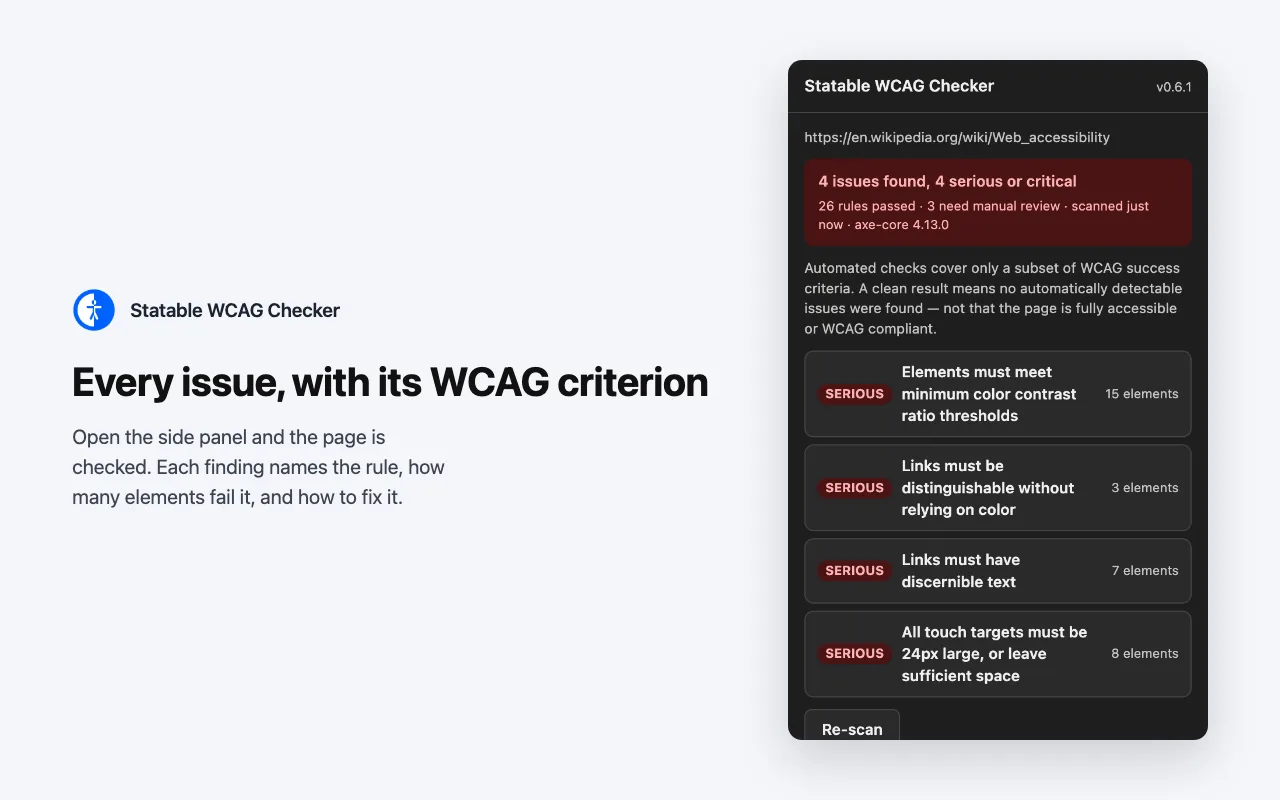
This web accessibility checker looks at your page the way the official accessibility guidelines describe it (WCAG 2.0, 2.1 and 2.2, levels A and AA). It only reports things those guidelines actually require, and every finding tells you which rule it comes from and why it matters.
Nothing Leaves Your Browser
The extension sends nothing anywhere: no requests of its own, no history, no tracking. The report lives in your browser and disappears when you close the tab, so you can check pages behind a login or on a staging server.
See The Problem On The Page
Click a finding and the checker outlines the problem elements right on the page and scrolls to the first one. For low-contrast text, it can show you a colour that would pass before you change any code. Everything is undone with one click.
What The WCAG Checker Tests
Colour contrast, missing text alternatives, form fields without labels, links and buttons without an accessible name, ARIA misuse, target sizes, page language and document title: the checks defined by WCAG 2.0, 2.1 and 2.2 at levels A and AA.
The checks are run by axe-core, the open-source engine behind Lighthouse's accessibility audit, entirely inside your browser.
Why We Built It
The Web Is Made For Perfect Eyes And Steady Hands
We built this checker for our own pages first. It takes a minute, it needs no accessibility training, and it shows you the problems your visitors run into but never write to you about.
Sites Are Built By The Few, Used By Everyone
Most websites are made by young designers and developers with sharp eyes and steady hands, on big bright screens. The people visiting them are everyone else: someone reading with a screen reader, someone with a tremor trying to hit a small button, someone in bright sunlight on a phone with one hand free. What looks fine at the desk often does not work for them.
In Many Places It Is The Law
Accessibility is no longer a nice extra. In the EU the European Accessibility Act has applied since June 2025 and points at the same WCAG rules this checker uses. In the US the ADA is enforced against websites too. A quick accessibility check before a release is far cheaper than a complaint after it.
Accessible Sites Keep More People
A page that works for someone with low vision also works better on a cracked phone screen or a slow connection. Readable text, clear buttons and captions help every visitor finish what they came to do, and people come back to sites that do not fight them.
How It Reads
Open The Panel, Let It Scan, Read The Result
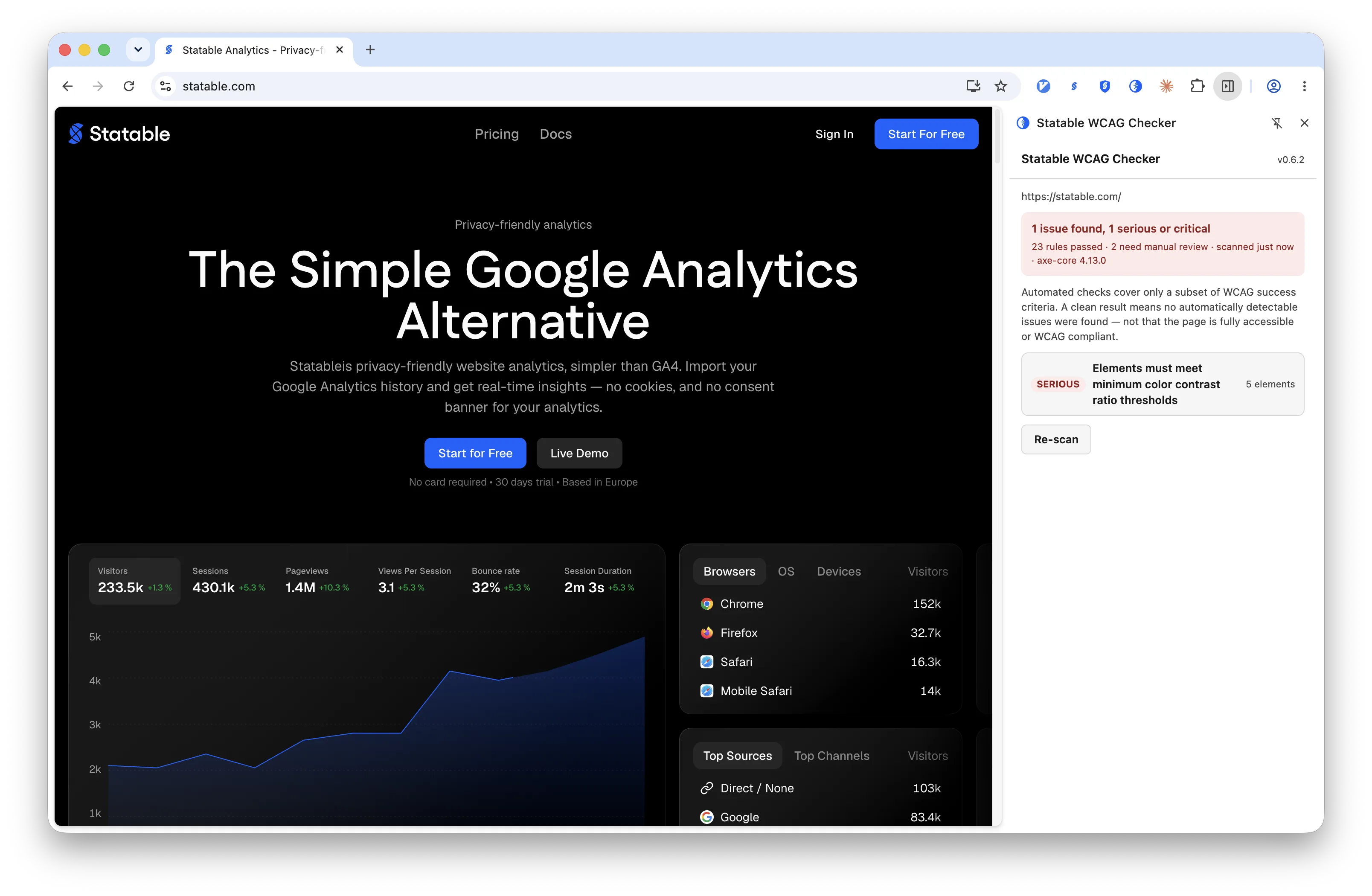
The accessibility checker extension opens as a panel next to the page, on Chrome, Edge and Firefox. There is no Scan button to find: open the panel and it checks the page by itself, and it keeps up as you move from page to page. Fixed something? Press Re-scan and see if it is gone.
Start With The Verdict
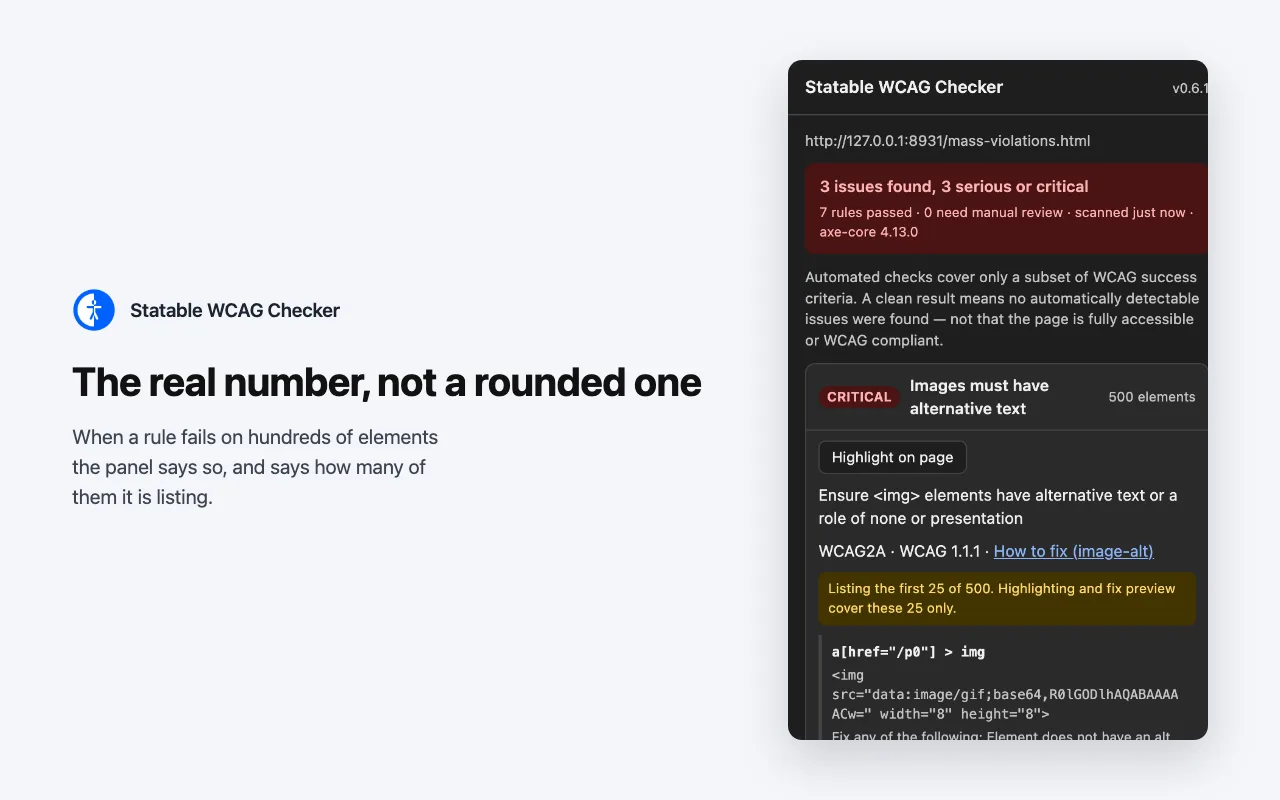
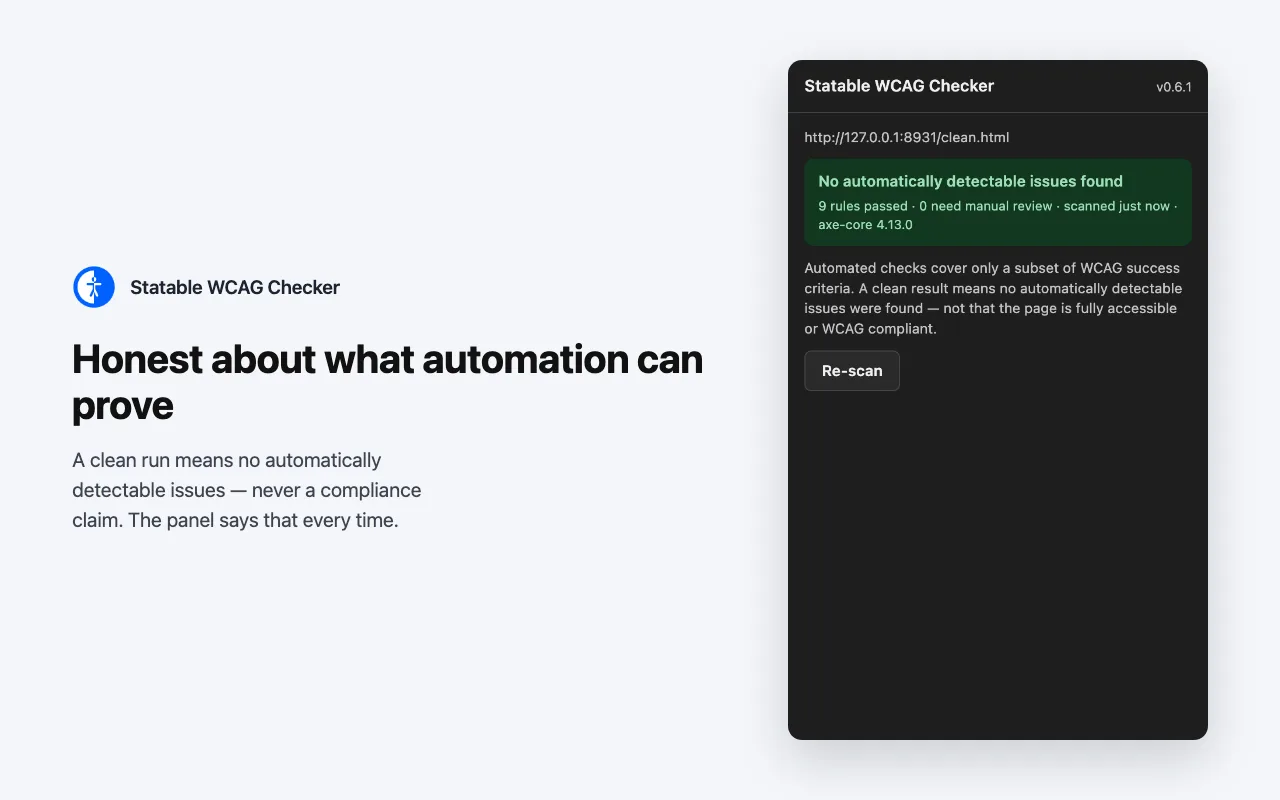
The top of the panel tells you how bad it is in one line, for example 4 issues found, 4 serious or critical. Red means something serious is wrong, amber means only smaller things, green means the checker found nothing it can detect on its own. The list underneath starts with the worst problem, so you always know where to begin.
Review Findings
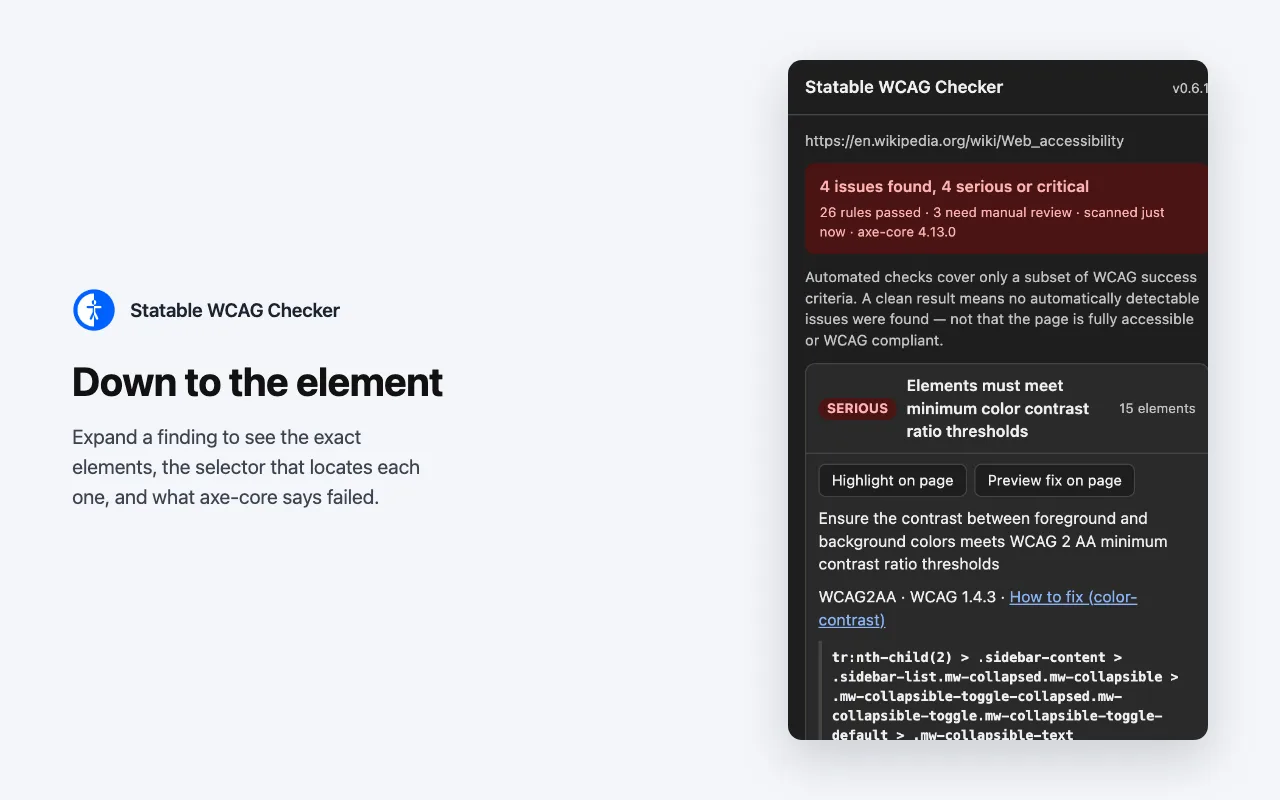
Open any finding and you get the rule in plain words, the guideline it comes from and a link that explains how to fix it. Below that is the list of the exact elements on the page that failed, with a snippet of their code. Highlight on page outlines them and scrolls to the first one, so you can hand the list to whoever maintains the site.
Embedded Content Counts Too
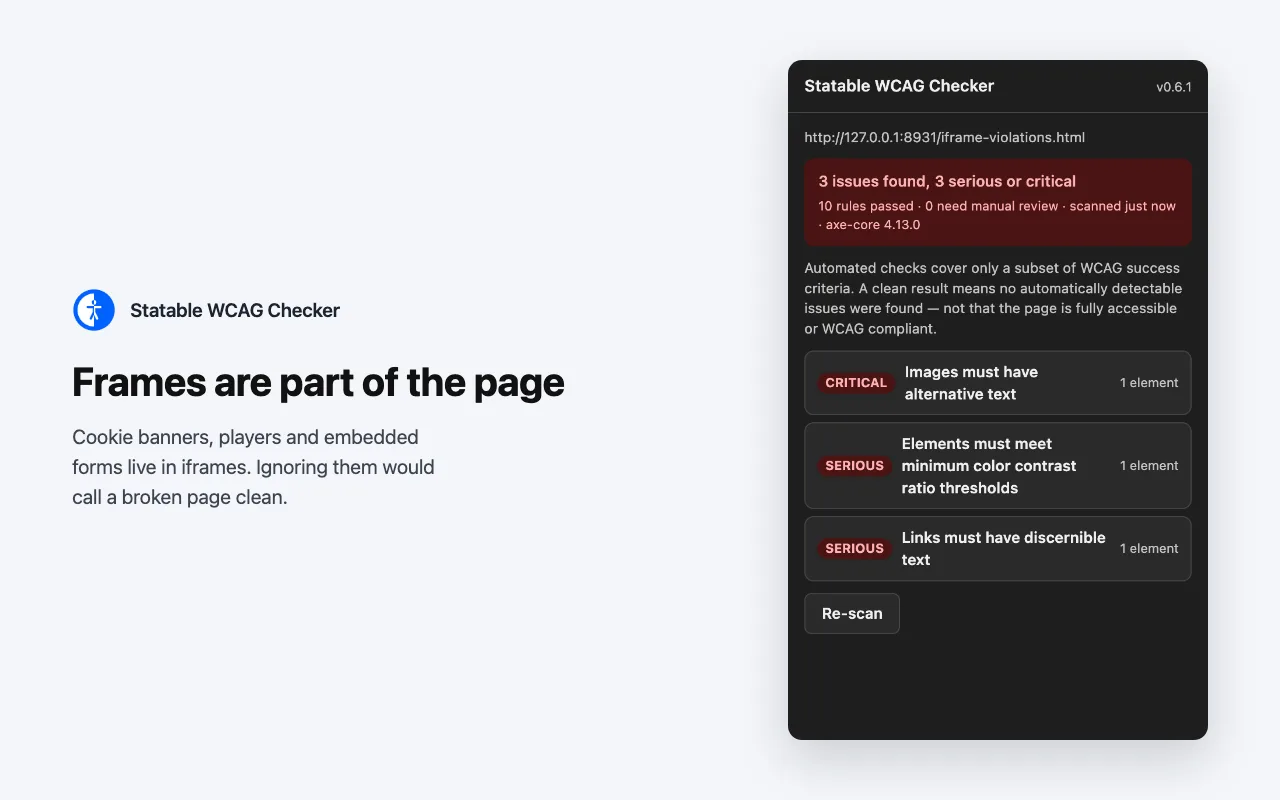
Cookie banners, video players and payment forms are usually embedded from somewhere else. Many checkers skip them; this one checks them as part of the page, because a visitor cannot tell the difference and neither should the report.
The Real Number
If a rule fails on 500 images, the panel says 500. To keep the list readable it shows the first 25 of them in detail and tells you that it is doing so. You never mistake a sample for the whole problem, and you always know how big the job is.
Honest Limits
What A Clean Result Means
Automated checks cover only a subset of WCAG success criteria. A clean result means no automatically detectable issues were found, not that the page is accessible or WCAG compliant. The panel carries this note next to every verdict, green ones included.
Automated Coverage Only
Only part of WCAG can be tested automatically. Keyboard order, focus management, meaningful alternative text and reading order still need a person.
One Page At A Time
This web page accessibility checker audits the tab in front of you. It does not crawl a site or produce a report across pages.
A Report Describes One State
Content behind a login, inside a modal or revealed by interaction is only checked once it is on the page. Re-scan after opening it.
Browser Pages Cannot Be Checked
On chrome://, about: and similar addresses the panel says there is no web page to scan, because no extension is allowed to read them.
From The Statable Team
Built By The Team Behind Statable
Statable is privacy-first, cookieless web analytics. The WCAG accessibility checker follows the same rule: it reads only what the check needs and sends nothing anywhere. It is free, needs no account, and is not connected to any Statable account you may hold.
FAQ
Frequently Asked Questions
Is the WCAG Checker free?
Yes. The extension is free on the Chrome Web Store, Edge Add-ons and Firefox Add-ons. It needs no account, no sign-in and no configuration, and it is not connected to any Statable account you may hold.
Does it send the page anywhere?
No. The extension makes no network requests of its own. It reads the page in the active tab to run the checks, builds the report in your browser and shows it in the panel. Nothing it reads leaves your device.
Nothing is stored either. There is no history, no extension storage and no telemetry. The report lives in memory only and is gone when you navigate away or close the tab. The full statement is in the extension privacy policy.
Which browsers does it support?
Chrome 116 or newer, Edge 116 or newer and Firefox 140 or newer. Other Chromium browsers can use the accessibility checker Chrome extension. On Chrome and Edge the report opens as a side panel; on Firefox it opens as a sidebar.
Does a clean result mean my page is WCAG compliant?
No. Automated checks cover only a subset of WCAG success criteria. A clean result means no automatically detectable issues were found, not that the page is accessible or WCAG compliant. Keyboard order, focus management, meaningful alternative text and reading order still need a person. The panel repeats this next to every verdict.
Where do I report a bug or ask a question?
Write to support@statable.com. The documentation describes how a scan runs, how the report is read and what the extension does on the page.
Install
Add The Accessibility Checker Extension To Your Browser
Free, no account. Chrome 116+, Edge 116+, Firefox 140+. Once installed, pin the extension and click its icon to open the panel.