
Privacy First Web Analytics
Privacy First Analytics You Can Verify Yourself
See what works on your site without putting a consent question in front of your readers. No cookie banner for analytics, and no visitors dropped from the count for refusing one. Privacy first analytics that you can check yourself in about a minute.
No card required • 30 days trial • Based in Europe
 United States
 Germany
 Brazil
 Belgium
 Canada
 Ukraine
 Netherlands
 Poland
 France
 Spain
Spain Chrome
 Firefox
 Safari
 Mobile Safari
 Edge
Edge Opera
Opera Brave
Brave Samsung Internet
 Yandex Browser
 DuckDuckGo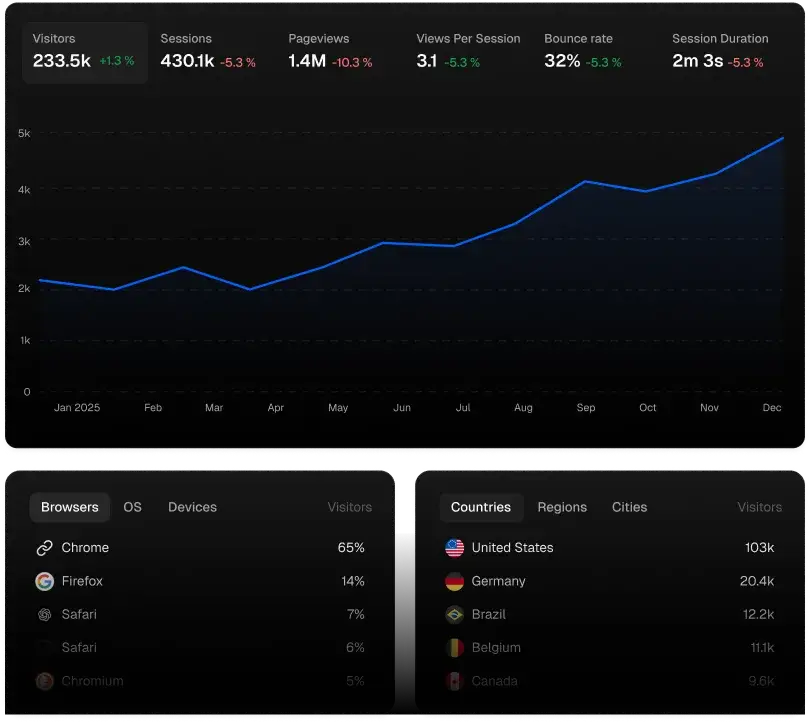
0 Cookies
Nothing is stored on your visitor's device
1 Day
Visitor IDs expire overnight, automatically
0 Third Parties
Our script loads nothing from anyone else
United StatesGermanyBrazilBelgiumCanadaYour Analytics Are Lying To You, And It Is Not Your Fault
If your analytics only runs after someone accepts a banner, everyone who clicks Reject is invisible to it. They still read your posts, still bought your product, still shared your link. They just do not appear in the reports you plan around, and how many of them there are is itself something you cannot see.
What appears instead is an estimate. Consent-based tools fill the gap with modelled numbers, so a figure that looks like a count is partly a guess, and nothing on the screen tells you which part.
You are making decisions about what to write, what to sell and where to advertise on top of that.
Privacy focused analytics removes the gap rather than estimating it. Nothing here waits for a banner, so nobody is missing for having declined one. Traffic that moves ten percent means traffic moved, not that fewer people clicked Accept.
What You Get Instead
Ditch The Cookie Banner
The banner exists because of what most analytics tools store on your visitor's device. We store nothing, so for analytics there is nothing to ask permission for.
That is one less thing covering your homepage, one less thing to configure, and one less conversation with a lawyer. Visitors land on your content instead of a consent dialogue.
(Honest caveat, and we would rather say it than have you discover it: a chat widget, an ad pixel or an embedded video can still require a banner on their own. Removing analytics from the list is a real step, not the whole job.)
Numbers You Can Act On
No visitor is dropped for declining a banner, so your numbers move when your traffic moves rather than when consent rates do. Which posts hold attention. Which links actually send people. What converts and what only looks busy.
The only people we do not count are the ones who asked not to be counted: browsers sending Do Not Track or Global Privacy Control, and anyone who has used the opt-out. That is deliberate, and it is the one gap we are glad to have.
This is private analytics in the sense that matters commercially: your visitors keep their privacy, and you keep a picture that does not depend on their patience with a dialogue. Those two things are usually sold as a trade-off. Here they are not.
Fast Enough Not To Cost You Readers
The whole script is about 2 KB. It does not block your page, does not pull in libraries from other companies, and does not make your site feel slower on a phone.
Ready In One Line
Paste one script tag. That is the install. On WordPress the official plugin adds the script for you, and step-by-step guides cover Next.js, React, Vue, Wix and plain HTML.
What Our Privacy Friendly Analytics Collects, And What It Never Does
Only the fields a report needs, and nothing that follows a person. Each item is spelled out in our guide to privacy and data collection, and the daily visitor number is explained in how cookieless tracking works.
What we collect
- The page address and the referrer, without the query string. UTM tags and click IDs are read out first, so campaigns still show up.
- Country, region and city, worked out from the IP address on our own servers.
- Browser, operating system and device type, taken from the User-Agent header.
- The events and goals you set up yourself.
- A visitor number that is valid for one day on one site.
What we never do
- Set cookies, write an ID to localStorage, or fingerprint the browser.
- Store the IP address or the full User-Agent string.
- Connect one browser across different sites or different days.
- Sell your stats, syndicate them, or feed them to ad networks.
- Count browsers that send Do Not Track or Global Privacy Control, the opt-out signal recognized under California's CCPA.
Why It Pays Off For You
Three audiences, same product, different reason.
If You Write.
Your readers came to read, not to dismiss a dialogue. Privacy friendly web analytics keeps your page clean and still tells you which article earned the most attention this month.
If You Sell.
You need to know which channel pays for itself. Consent-gated tools hide part of that answer behind the people who declined, and then estimate them back. Privacy first analytics counts the refusers too, which matters most exactly where the budget decisions are.
If You Build An Audience.
Sponsors ask for traffic figures. Numbers that come with a plain explanation of how they were produced hold up better in that conversation than a dashboard you cannot explain. Private analytics fits this well: you get the traffic figures a sponsor wants, and your readers get nothing following them from site to site.
Check It Yourself, It Takes A Minute
Every privacy focused web analytics tool says the same reassuring things. Here is how to tell whether ours are true. Start with the easy one.
The quick check. Install our free GDPR Checker, available for Chrome, Edge and Firefox. Open it on any page, reload, and it reports the trackers that fired and the cookies that were stored before anyone agreed to anything. Run it on a site using Statable and we will not be in the cookie list. Then run it on your own site, because whatever else shows up there is worth knowing.
If you would rather look yourself. In Chrome or Edge, open a site running Statable, then press Ctrl+Shift+I on Windows, or Cmd+Option+I on a Mac. Choose the Application tab, and in the left sidebar expand Cookies with the triangle beside it and click the site's address underneath. Nothing is listed for the site. Reload the page and it stays that way. In Firefox the same list lives under the Storage tab.
Read the contract before you sign up. Our data processing agreement names where your visitors' data is stored, who else touches it, and what we are allowed to do with it. It is in plain language and it is public, so you can read it before creating an account rather than after.
That is the difference we would like you to weigh. Plenty of privacy analytics tools ask you to trust a marketing page. This one hands you the tools to check it.
What We Deliberately Cannot Do
A page about privacy that lists only wins is an advertisement. Here is what this approach costs, so you can decide against us if it does not fit.
We cannot follow one person across days. Visitor IDs expire every night by design. That means no retention curves, no cohorts, no "this specific user did these five things over two weeks".
A monthly visitor number is not a headcount. Because IDs reset daily, someone who visits on four days counts four times. Read it as daily visitors added together, not as a count of separate people. Measured the same way every month, it stays comparable, which is what most decisions actually need.
Location is approximate below country level. Country is right for the large majority of visits. City is an estimate, because it is derived from the IP address: mobile networks route through regional gateways, a company shows up wherever its office connects, and a visitor on a VPN shows up wherever they chose to exit, which can place them in another country altogether. That is how IP-based location works in every analytics tool, ours included.
No personal profiles, so nothing to target with. If your plan needs per-person behavioural profiles for a recommendation engine or an ad audience, this is not the tool.
Who should look elsewhere. If your work truly depends on per-user journeys and cross-device identity, you want Mixpanel, Amplitude or PostHog, and we would rather tell you now than in month three. If you want to know what your site does and who it reaches, privacy friendly analytics does that job completely.
How It Works, Briefly
For readers who want the mechanism rather than the promise.
We do not store anything on the visitor's device and we do not build a device fingerprint. To tell one visitor from another within a single day, we mix four things into a single scrambled number: their IP address, their browser, the site they are on, and the date. The mixing uses a secret only our server holds.
The date being one of the ingredients is what makes the number expire. Tomorrow the same person produces a different number, not because we delete anything overnight, but because it is a different sum. The site being an ingredient does the same across sites: one person visiting two sites that both use Statable is two numbers with nothing connecting them.
The original IP address is thrown away the moment the number exists. It is never a column in our database.
Two things this does not mean. This is not anonymous data: it is pseudonymised, it remains personal data, and the GDPR still applies to it. And using us does not mean zero compliance work: you will still need a lawful basis, a line in your privacy notice, and a processing record.
Where Your Data Lives
Your visitors' data sits on servers we own and run, in a data centre at Oude Meer in the Netherlands. Not a rented slice of someone else's cloud: our hardware, in a facility that supplies the building, the power and the locks. The provider does not process your visitors' data, and our agreement says so by name.
Storage stays in the Netherlands. Our content network has nodes worldwide, so a request from outside Europe may pass through one before it reaches us.
Your Data Stays Yours
Kept for as long as you need it. Every plan includes forever data retention, so last year's numbers are there when you want to compare.
Bring your history with you. You can import your Google Analytics history, so the comparison with previous years does not start from zero.
Delete it when you decide. Deleting a site removes every event, goal and setting tied to it. The data leaves our working systems at once, and encrypted backup copies expire within 30 days. If you only stop paying, tracking stops.
FAQ