Tracking features
The tracking script is not one fixed file. It is assembled from a dozen features, and you choose which of them your site loads. Turning off what you will not read makes the script smaller, and it means data you do not want is never collected in the first place.
The choice lives on Site settings → General → Tracking Code.
Three ways to choose
The card offers three options.
| Option | What it does |
|---|---|
| Standard | All features included. The default, and the right answer unless you have a reason |
| Nano | Minimal pageview tracking: the always-on core plus single-page app navigation, and nothing else |
| Custom | Choose exactly which features to include, one by one |
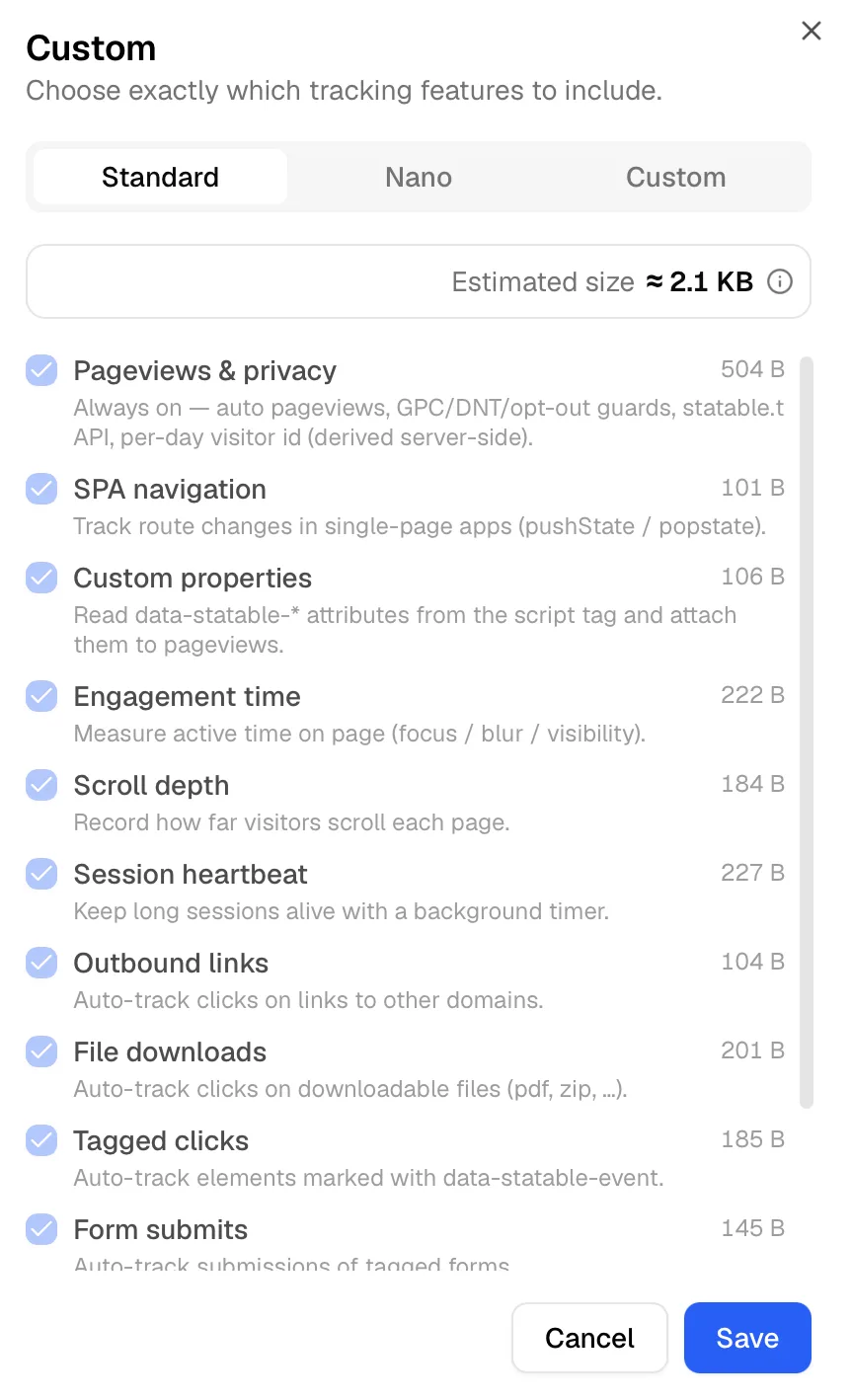
Picking Custom opens a checklist with a running size readout, so you can see what each choice costs before saving.
Always on
One feature has no switch, because everything else depends on it.
Pageviews & privacy covers automatic pageview tracking, the Do Not Track, Global Privacy Control and opt-out guards, the window.statable.t() API for custom events, and the per-day visitor identifier that is derived on the server. It weighs about half a kilobyte.
There is no configuration that turns off the privacy guards. They are part of the floor.
The features you can switch
Sizes are what the file gains, compressed with brotli — the same numbers the dashboard shows.
| Feature | What it adds | Size | Needs |
|---|---|---|---|
| SPA navigation | Route changes in single-page apps, via pushState and popstate | 101 B | |
| Custom properties | Reads data-statable-* attributes from the script tag and attaches them to pageviews | 106 B | |
| Engagement time | Active time on the page, measured through focus, blur and visibility | 222 B | |
| Scroll depth | How far each page was scrolled | 184 B | Engagement time |
| Session heartbeat | Keeps long sessions alive with a background timer | 227 B | Engagement time |
| Outbound links | Clicks on links leading to other domains | 104 B | |
| File downloads | Clicks on downloadable files such as PDF and ZIP | 201 B | |
| Tagged clicks | Elements marked with data-statable-event | 185 B | |
| Form submits | Submissions of tagged forms | 145 B | |
| Status code | Reads a <meta name="status:code"> tag, which is how 404 tracking works | 53 B | |
| Before-send hook | Runs a data-before-send callback that can change or drop each pageview | 64 B |
Two features depend on engagement time. Scroll depth and session heartbeat both need it, and enabling either one switches it on for you. The reverse also holds: switching engagement time off takes both with it, and the reports that rely on them go quiet.
What you turn off, you stop measuring
This is a collection setting, not a display one. A month spent with scroll depth off leaves no scroll data for that month, and turning it back on does not fill the gap. Historical data is never reconstructed.
What saving changes, and what it does not
Your snippet does not change. The script address stays the same, so there is nothing to re-paste and no page to redeploy. Every valid combination of features is pre-built, and the address you already have starts serving the one you chose.
Visitors pick it up within about an hour. The script is cached for that long, so a change reaches returning visitors as their copy expires rather than on their next pageview.
Adding up the per-feature sizes overestimates. The numbers above are what each feature costs on its own, and features share code, so the assembled file is smaller than the sum. Standard, with everything on, is about 2 KB over the wire.
When the choice is not offered
Sites on the free Hobby plan have no standalone tracker: analytics are bundled inside one of the public widgets, so the script is chosen by picking a widget rather than by picking features. The Tracking Code card shows a link to the widget settings instead of the preset cards.
Choosing sensibly
Standard is the honest default. The whole script is around two kilobytes, which is smaller than a single icon on most pages, and having the data before you need it costs nothing.
Nano earns its place when the page budget is genuinely tight, or when you want pageviews and nothing else on principle. Be clear about what goes with it: no engagement time, no scroll depth, no outbound or download tracking, and no custom events beyond the t() call in the core.
Custom is worth the trouble in one common case, which is turning off a single feature you have decided not to collect, while keeping the rest. Switching off form submits on a site handling sensitive enquiries is the usual example.
Ready to take control of your web analytics? Try Statable free for 30 days. No credit card required, full feature access, built for GDPR. Start your free trial or view a live demo.