Live Users widget
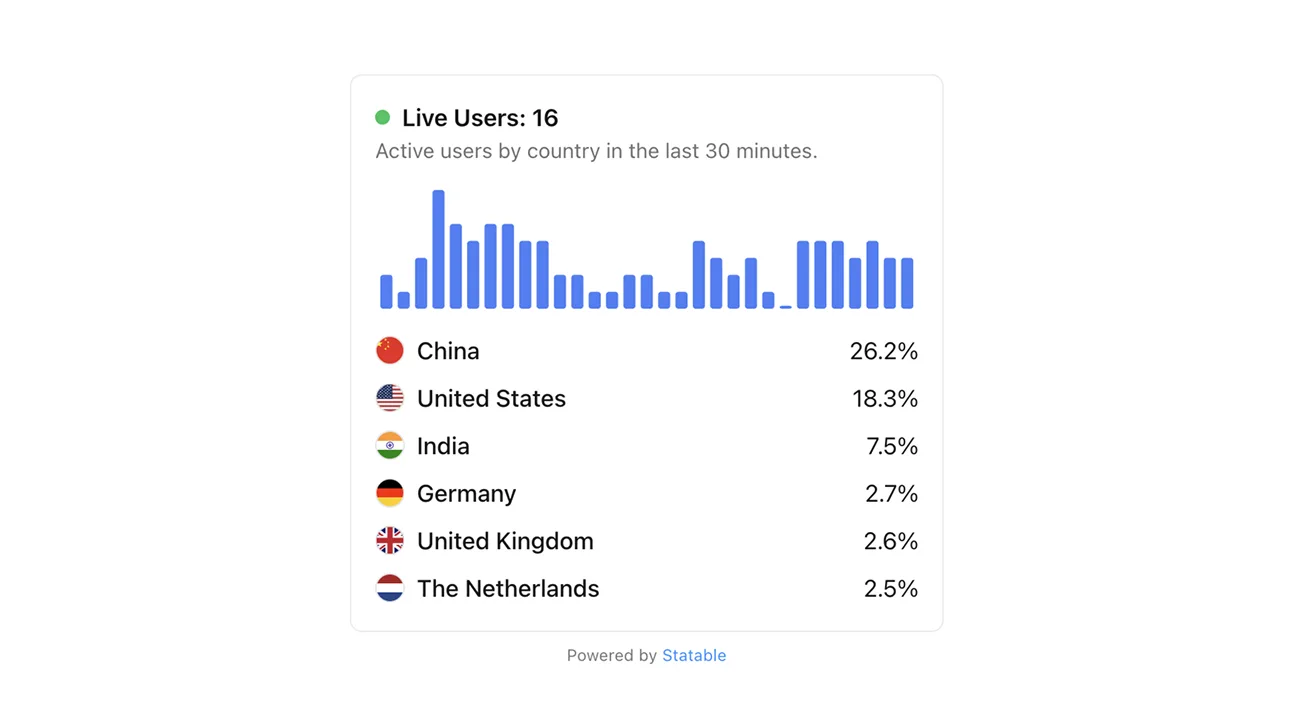
A live counter of how many people are on your site right now, with a small bar chart for the last 30 minutes.
When to use it
- Build-in-public posts: drop it under your blog header so visitors see real-time activity
- Status / "alive" pages: proof the site is live and people are using it
- Conference talks & demos: keep it on screen during a presentation
- Side-project landing pages: social proof without testimonials
Quick install
Don't copy the snippet from this page. The real one lives in Site settings → Widget → Live Users, with data-hash already filled in and a one-click copy button. Paste that into the spot on your page where you want the counter.
Options
| Attribute | Values | Default | Notes |
|---|---|---|---|
data-hash | your public hash | (required) | The only required value |
data-theme | light / dark / auto | auto | auto follows OS preference via prefers-color-scheme |
data-primary-color | hex (#10B981) | #3B82F6 | Bar chart colour |
data-countries-limit | integer | 10 | Number of country rows to show |
data-width | pixel value | (parent width) | Minimum 180 px — smaller values are clamped with a console warning |
data-height | pixel value | (auto) | Fills parent unless set |
data-api | URL | https://statable.com/api/widget/realtime | Override realtime endpoint |
data-country-api | URL | https://statable.com/api/widget/top-countries | Override top-countries endpoint |
Widgets work independently of the public-access toggle — the counter renders even when the main dashboard stays private.
Examples
Default, drop it in a footer:
<footer>
  <p>Built with care.</p>
  <script defer
    src="https://statable.com/js/luw.js"
    data-hash="03D3Cfb9eA">
  </script>
</footer>
Dark theme, fixed size, brand colour:
<script defer
  src="https://statable.com/js/luw.js"
  data-hash="03D3Cfb9eA"
  data-theme="dark"
  data-width="240"
  data-height="80"
  data-primary-color="#10B981">
</script>
Compact card on a sidebar:
<aside class="sidebar-card">
  <h4>Live readers</h4>
  <script defer
    src="https://statable.com/js/luw.js"
    data-hash="03D3Cfb9eA"
    data-width="auto"
    data-height="60">
  </script>
</aside>
What the visitor sees
- A large number — visitors active in the last 30 minutes.
- A small bar chart underneath showing minute-by-minute buckets over the same 30-minute window.
- A ranked country list with flags below the chart.
Notes
- Privacy: aggregated counts only. No individual visitors, no IPs, nothing identifiable.
- Performance: about 5.6 KB over the wire (14 KB unpacked), loads after your main content via
defer. - Refresh: the widget fetches data once when the page loads. There is no polling. To keep a wall display up to date, reload the page periodically.
See also: Top Countries · Visitor map · 3D Globe · Public dashboard & sharing