Omarchy widgets
Two plugins for the Omarchy Quattro shell put your site's stats on the desktop: a live count in the bar, and a card on the wallpaper. Both read through the Statable CLI, which prints and exits, so neither keeps a daemon running or holds a copy of your data.
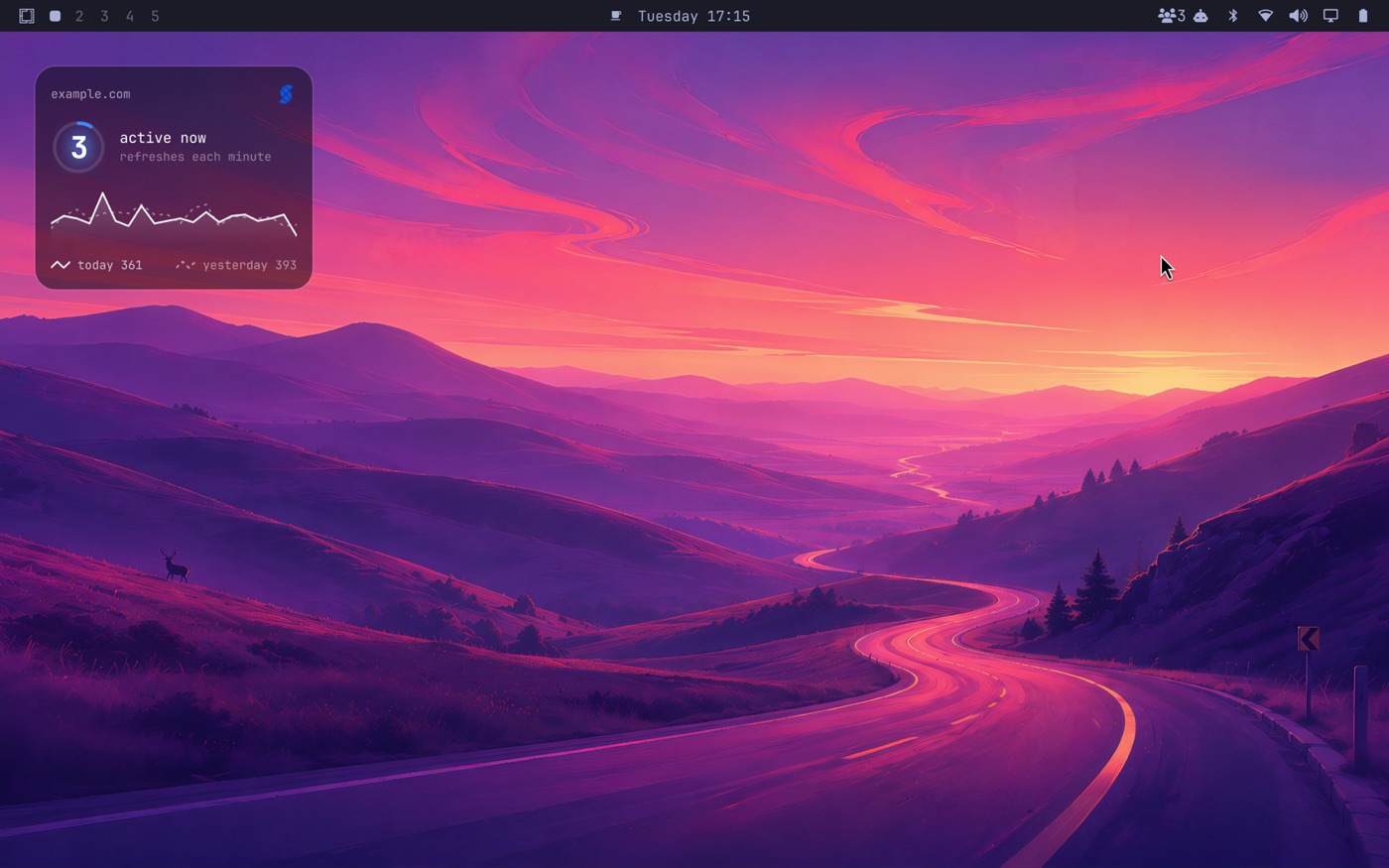
| Where | What it shows | Repository | |
|---|---|---|---|
| Statable visitors | the bar | the visitors active now; click for the last seven days | omarchy-statable |
| Statable desktop card | the wallpaper | the live count, and today by the hour against yesterday | omarchy-statable-desktop |
Run either, or both.
Before you install
- Omarchy 4 (Quattro): the release with the Quickshell shell, the one that reads
~/.config/omarchy/shell.json. - The
statableCLI on yourPATH, signed in, with a default site. On Omarchy that isgo installor the release archive; the Arch package does not exist yet.
go install github.com/key-arg/statable-cli/cmd/statable@latest
statable auth login                 # a key with Read analytics is enough
statable sites use example.com
The widgets never see the key. They call the CLI, and the CLI reads the key from the system keyring the way it does in a terminal. Sign in has the details.
Install
omarchy plugin add https://github.com/key-arg/omarchy-statable.git
omarchy plugin add https://github.com/key-arg/omarchy-statable-desktop.git
Each lands disabled, as every third-party Omarchy plugin does: they run as code inside omarchy-shell, so Omarchy wants you to read them first. Both are one short QML file. Then enable:
omarchy plugin enable com.statable.now        # the bar pill
omarchy plugin enable com.statable.desktop    # the desktop card
or pick them in the bar settings. The bar pill takes a slot in the bar layout; the desktop card is a top-level entry in shell.json's plugins list and is mounted when the shell starts.
The bar pill

A people glyph and the number of visitors active right now, polled every minute by default. The bar settings change the interval, from 15 seconds to an hour, pin a site other than the CLI's default, and hide the glyph.
When statable now cannot answer (no key, no default site, the API unreachable), the pill is blank rather than stale, so an empty pill means "check the CLI", not "nobody is here".
Click it for the last seven days:
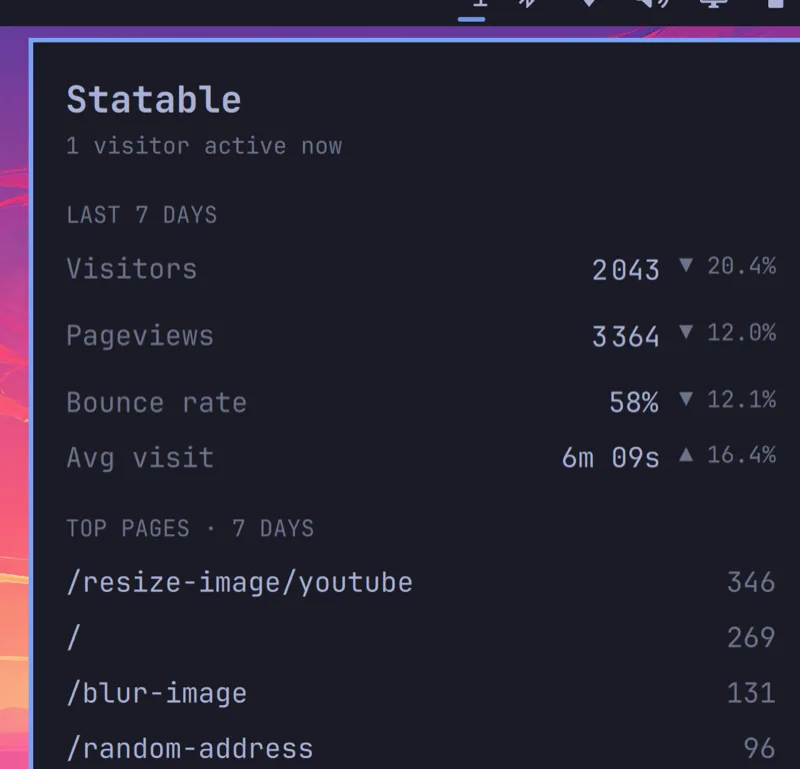
Visitors, pageviews, bounce rate and average visit, each against the previous seven days, then the top five pages. The panel fetches when it opens and refreshes on the same minute while it stays open. Middle-click re-polls at once, and a script can open it with omarchy-shell com.statable.now toggle.
The desktop card
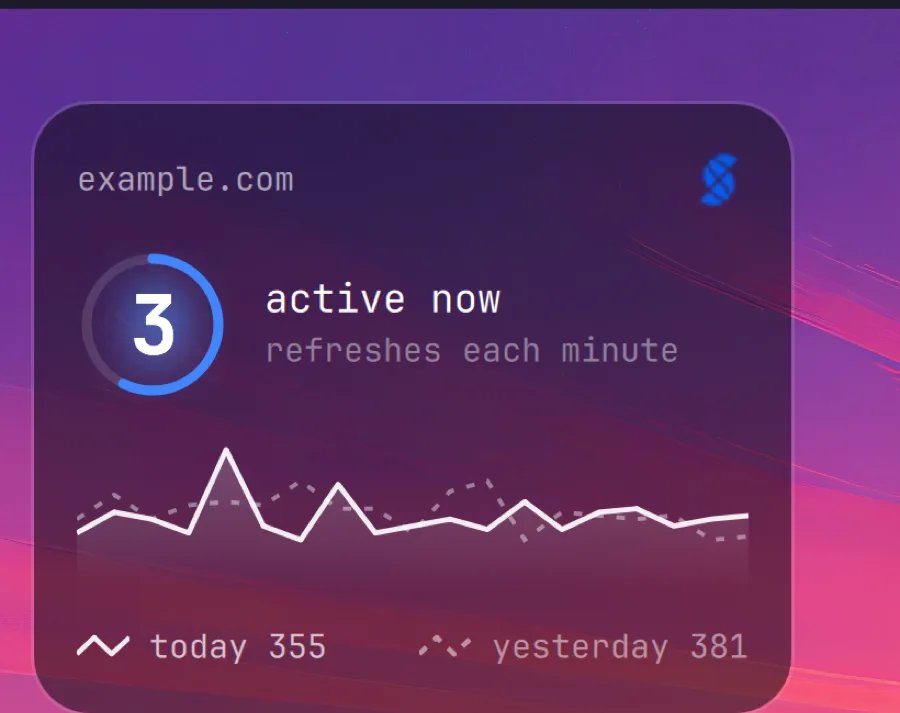
A glass card pinned to a corner of the wallpaper. It sits on the layer below windows, so a window covers it. Glance at it on an empty desktop, the way every desktop widget works.
- The number is the visitors active now. It scales to its digits, so 2 and 2 000 both fill the ring.
- The ring is a countdown to the next refresh. It fills over a minute; when it completes the numbers reload and it starts again.
- The chart is today by the hour, drawn solid, with the same hours yesterday dotted behind it. Hover a point to read that hour's two counts.
- The footer carries both totals so far, each marked with its line style.
- The logo opens the site's dashboard. It is the only click on the card; the rest is inert, so a stray click never opens anything.
Settings, on the card
Hovering the card shows a gear by the logo. It opens a small settings panel on the card itself:
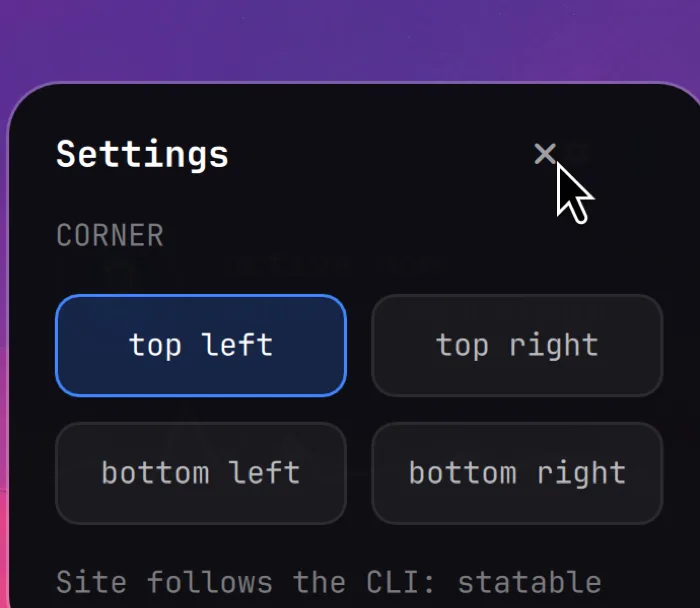
Pick a corner and the card writes its own settings file. The file is ~/.local/state/omarchy/settings/statable-desktop.json, where Omarchy plugins keep theirs, and every key is optional:
{
  "corner":  "top-left",   // top-left | top-right | bottom-left | bottom-right
  "monitor": "",           // an output name such as DP-1; empty is wherever the shell puts it
  "margin":  28,           // gap from the screen edge, in pixels
  "site":    ""            // a domain or id; empty follows the CLI's default site
}
A position change (corner, monitor, margin) applies on the next shell reload (omarchy-restart-shell, or sign out and in). Layer-shell surfaces are anchored when they are created, so the card moves on restart, not on save.
Which site it shows
The card follows the CLI's default site, so
moves the whole card to that site: its name, its numbers, and the dashboard the logo opens. Set site in the settings file only to pin the card to a site other than the default.
What they send, and to whom
Both plugins call the Statable API with your key and nothing else. There is no telemetry and no third host. The numbers themselves come from your site's tracking, which is cookieless: nothing on your pages asks a visitor for consent before counting them, so the count does not depend on who clicked "accept" on a banner. Visitors whose browser sends Do Not Track or Global Privacy Control are not counted.
Ready to take control of your web analytics? Try Statable free for 30 days. No credit card required, full feature access, built for GDPR. Start your free trial or view a live demo.