Google Search Console
Connect Google Search Console to see the queries people search before they land on your site. Once connected, Statable pulls your search terms into the dashboard next to the rest of your traffic.
Before you start
You need a verified Search Console property for this site. Statable reads an existing property, it doesn't create or verify one. If you haven't verified the site with Google yet, do that first in Search Console.
The connection is per site. Connect each site separately.
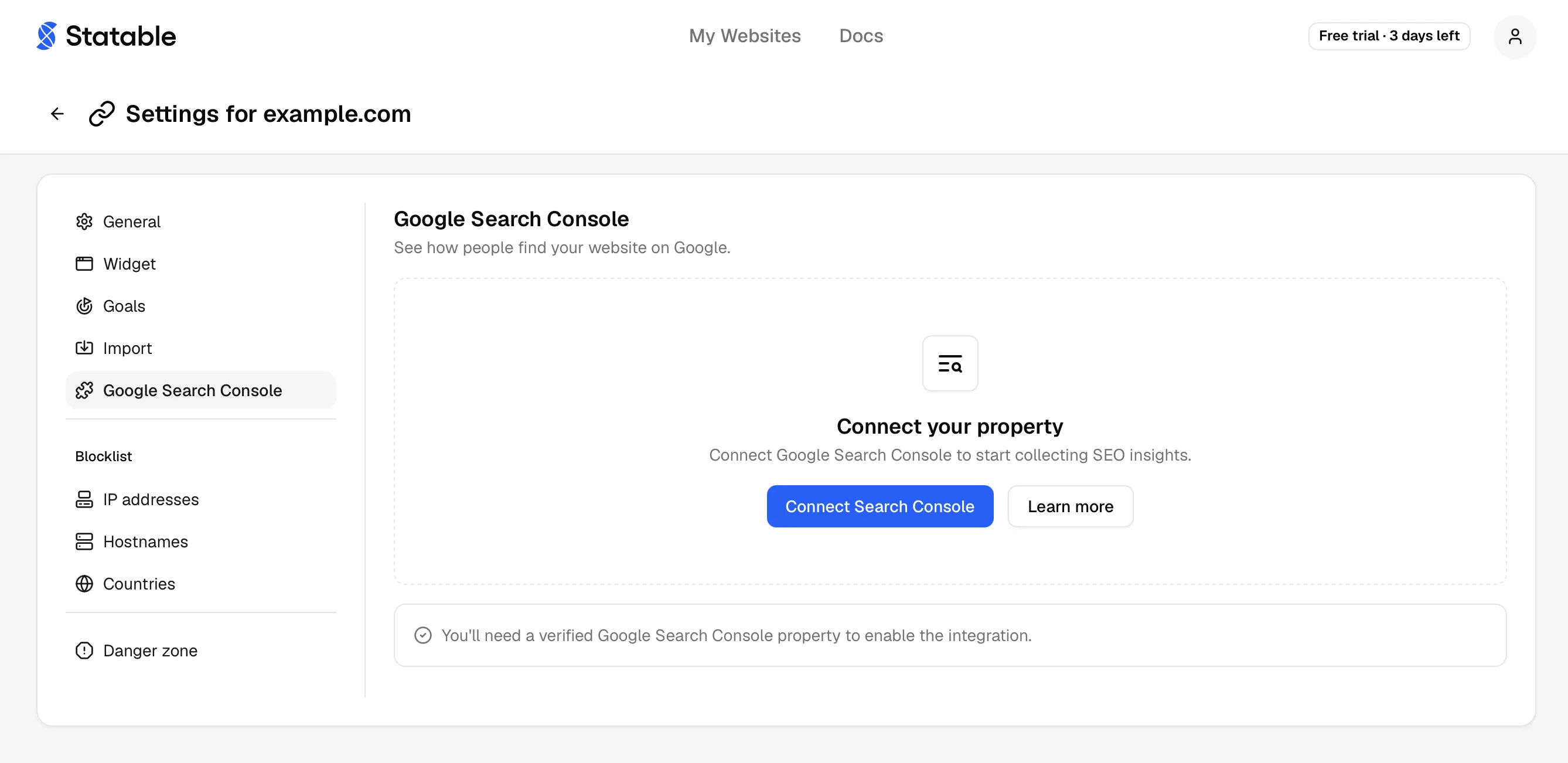
Connect
- Go to Site settings → Google Search Console.
- Click Connect Search Console.
- Authorize with Google. Statable requests read-only access to your Search Console data and nothing else.
- Back on the settings page, open the Property dropdown, pick the property for this site, and click Save.
The page then shows the connected Google account and the selected property.
The property is fixed once saved. Only the person who connected the Google account can pick it; another admin of the site is refused. Statable will not re-point a connected site at a different property, because that is not an edit: the old property's history has to go and the new one's has to arrive, and in between the dashboard shows numbers that belong to neither. To move a site to another property, disconnect and connect again.
Pick the matching property
Search Console treats example.com, www.example.com and https://example.com as separate properties. Choose the one that actually receives your traffic, or the report stays empty. Getting this wrong now costs a disconnect and a reconnect, so check which property receives your traffic before you save.
Read search terms
Search data appears in the Search terms tab under Traffic Sources. The tab shows up once the source filter is Google: click Google in the Sources list. The Google row comes from visits the tracker has recorded. Until a visit from Google arrives in the selected period, the Sources list has no Google row, even when Search Console data is already imported. Each row reports:
| Column | Meaning |
|---|---|
| Search Term | The query typed into Google. |
| Visitors | People who arrived from that query. |
| Impressions | Times your site appeared in results for it. |
| CTR | Click-through rate: clicks divided by impressions. |
| Position | Average ranking position for the query. |
Click the card to open the full list.
Search data is delayed
Google Search Console data is typically delayed by 24 to 48 hours and is never real time. A new site, or one connected today, shows nothing until Google publishes the first batch. The dashboard says "Search terms are not available yet" while that is the case, which is expected rather than a broken connection.
On the dashboard
Once connected, a Google Search Console strip appears under the main chart with four checkboxes: clicks, impressions, CTR and avg. position. Tick any of them to draw that metric on the chart next to the one you are viewing, up to all four. Clicking a KPI card clears the ticks.

Search Console runs about two days behind, so on Today or Yesterday a ticked metric draws nothing. Pick a longer range to see it.
Until the tracking script records its first visit, the Visitors card borrows Search Console clicks and is labelled Visitors (GSC clicks). A site with only Search Console data opens on Last 30 days with impressions ticked.
Refresh
Search Console keeps revising its own numbers for weeks after the fact, so the figures you saw last month are not always the figures Google reports today. Refresh pulls the last 16 months again for the property this site is already linked to, and replaces what was stored.
Sixteen months is Search Console's own retention window, so this is everything Google still holds. The pull runs in the background and the page says so while it works. The card keeps showing the previous data until the new set is complete, so a refresh that looks like it changed nothing is usually one that has not finished yet.
Disconnect
Go to Site settings → Google Search Console and click Disconnect, then confirm in the Disconnect Google Search Console? prompt.
Disconnecting stops the sync and drops the stored authorization. Your Search Console property itself is untouched, and you can reconnect later.
What Statable can and cannot do
The integration uses Google's webmasters.readonly scope. That means Statable can read your Search Console metrics and property list. It cannot modify properties, submit sitemaps, request indexing, or change anything in your Search Console account.
Related
- Organic traffic explains how search visits are attributed.
- Importing your GA4 history is a separate flow, for historical analytics.
Ready to take control of your web analytics? Try Statable free for 30 days. No credit card required, full feature access, built for GDPR. Start your free trial or view a live demo.